

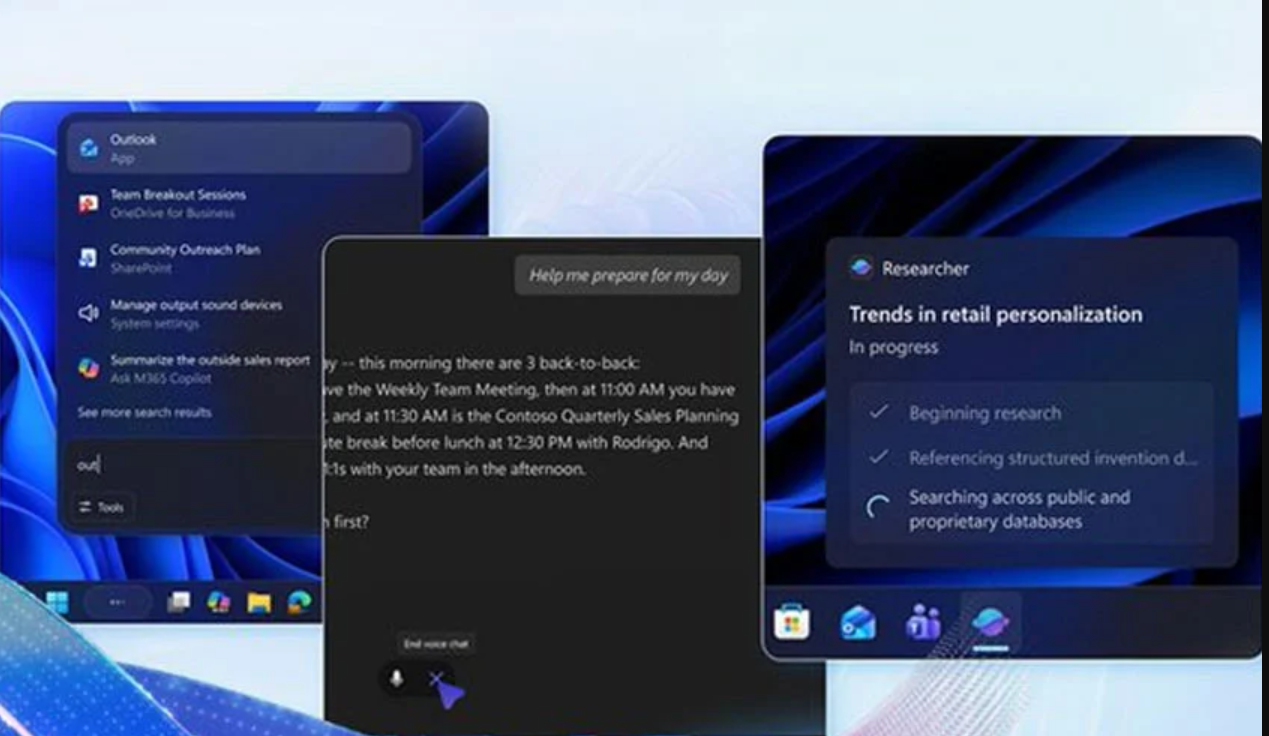

Microsoft is revolutionizing Windows 11 with a major taskbar upgrade that integrates AI agents directly into the desktop. The new system turns the taskbar into a central hub for real-time AI assistance, moving beyond its traditional role as a simple app launcher. This upgrade promises to reshape workflows for millions of users worldwide.
AI Agents Embedded into the Taskbar
The update brings Microsoft 365 Copilot and supported third-party AI tools into the taskbar. These agents appear as familiar taskbar icons but operate in the background, providing real-time status updates. Users can hover over these icons to view task progress, ongoing actions, and detailed insights without opening additional windows. This approach streamlines workflow management and reduces constant switching between apps.
Enhanced “Ask Copilot” Functionality
The taskbar’s Ask Copilot search box also receives a major enhancement. Users can launch AI agents by typing “@” or selecting new command buttons. This allows more conversational and intuitive interactions, making AI assistance immediately accessible. Consequently, users can delegate routine and complex tasks to AI without interrupting their workflow.
Model Context Protocol for System-Wide Integration
Microsoft introduces the Model Context Protocol (MCP), a standardized framework enabling AI agents to discover system tools, interact with applications, and collaborate with other agents. This ensures seamless execution of background workflows, such as file processing, automation, or summarization. By coordinating tasks across multiple applications, MCP enhances system efficiency and reduces user effort.
Privacy and Security with Agentic Workspace
All AI tasks run within a sandboxed agentic workspace, isolating agent activity from the broader system. This ensures that AI agents access only authorized files and applications, preventing potential security risks. Users benefit from advanced AI functionality while maintaining control over their system’s stability and privacy.
Why This Upgrade Matters
The Windows 11 taskbar upgrade transforms the operating system into a platform for intelligent, real-time assistance. Key advantages include:
-
Fewer app launches and more direct AI instructions
-
Real-time visibility of background workflows
-
Reduced context switching for improved productivity
-
Automated support for creative and repetitive tasks
At the same time, users must consider privacy and permission settings to manage AI activity effectively. Those who prefer a minimal interface may need to adjust taskbar settings to retain control.
Impact on Everyday Use
This upgrade affects a wide range of users, including professionals, gamers, and daily computer users. With AI agents handling routine operations, users can focus on higher-priority tasks. Meanwhile, early adopters could experience significant productivity gains as AI streamlines repetitive workflows. The update highlights Microsoft’s commitment to integrating artificial intelligence into daily computing experiences.
Windows 11’s AI taskbar upgrade introduces a powerful combination of intelligent assistance, real-time task management, and system-wide integration. By embedding AI agents like Microsoft 365 Copilot, the update reduces friction, boosts productivity, and redefines how users interact with their desktops. This innovation sets a new standard for modern operating systems while maintaining privacy and operational control.
