

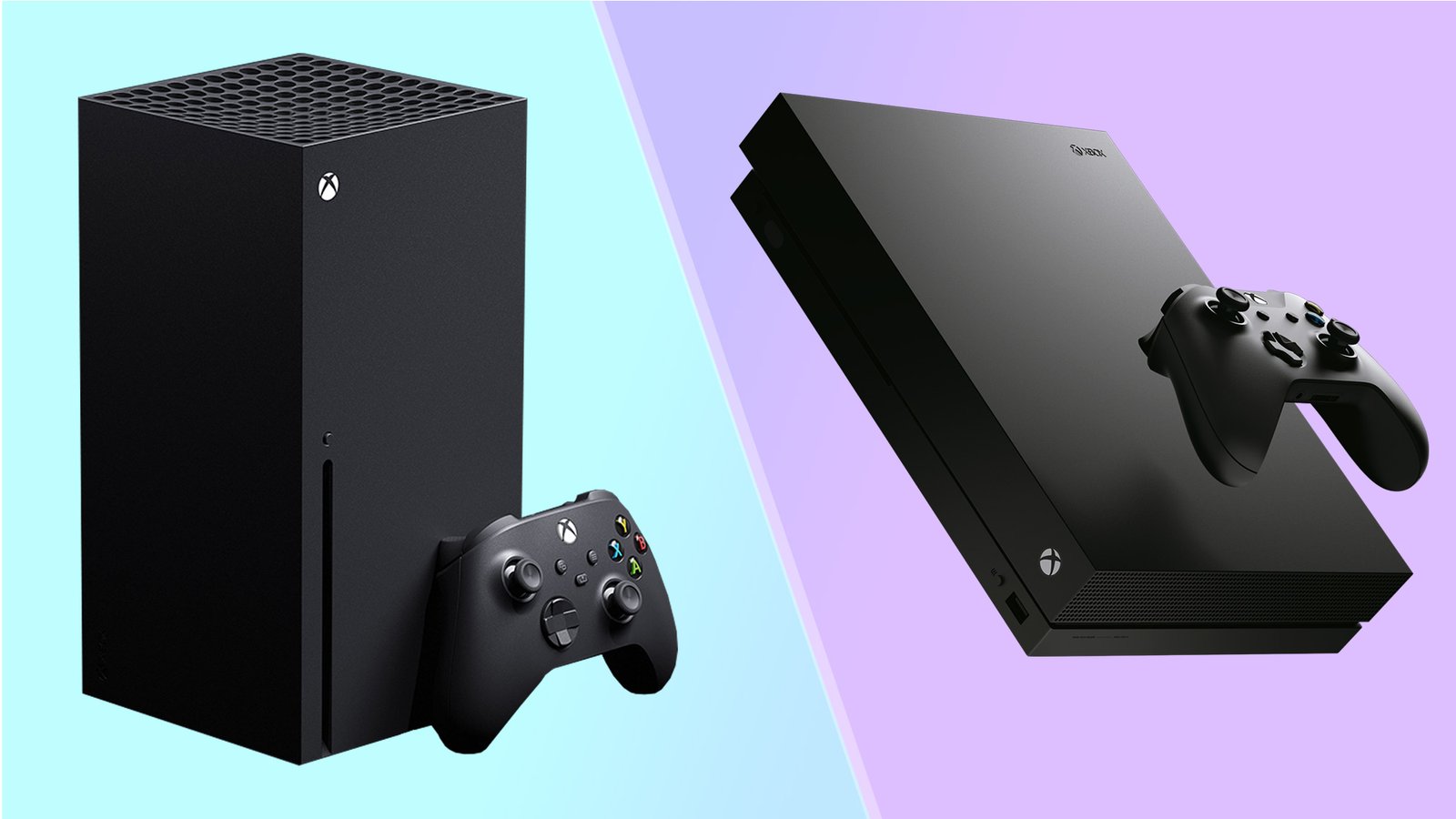

Microsoft’s Xbox ecosystem has evolved dramatically since the Xbox One’s 2013 launch. With the arrival of the Xbox Series X and Series S in 2020, gamers face important decisions about which console best fits their needs and budget. This comprehensive guide breaks down every aspect of these gaming systems to help you make an informed choice.
Whether you’re upgrading from an older console, entering the Xbox ecosystem for the first time, or deciding between current-generation options, understanding the key differences between Xbox One and Xbox Series X/S will ensure you get the best gaming experience for your investment.
Technical Specifications: Power Under the Hood
Processing Power and Performance
Xbox One (Original)
- CPU: 8-core AMD Jaguar at 1.75GHz
- GPU: AMD Radeon GCN with 768 shader units
- GPU Performance: 1.31 TFLOPS
- RAM: 8GB DDR3 + 32MB eSRAM
- Storage: 500GB/1TB HDD (5400 RPM)
Xbox One X
- CPU: 8-core AMD Jaguar at 2.3GHz
- GPU: AMD Radeon with 2560 shader units
- GPU Performance: 6.0 TFLOPS
- RAM: 12GB GDDR5
- Storage: 1TB HDD (7200 RPM)
Xbox Series S
- CPU: 8-core AMD Zen 2 at 3.8GHz (3.6GHz with SMT)
- GPU: AMD RDNA 2 with 1280 shader units
- GPU Performance: 4.0 TFLOPS
- RAM: 10GB GDDR6 (8GB at 224 GB/s, 2GB at 56 GB/s)
- Storage: 512GB NVMe SSD
Xbox Series X
- CPU: 8-core AMD Zen 2 at 3.8GHz (3.6GHz with SMT)
- GPU: AMD RDNA 2 with 3328 shader units
- GPU Performance: 12.15 TFLOPS
- RAM: 16GB GDDR6 (10GB at 560 GB/s, 6GB at 336 GB/s)
- Storage: 1TB NVMe SSD
Real-World Performance Differences
The leap from Xbox One to Xbox Series X/S represents a generational improvement in every metric. The newer consoles feature:
- CPU Performance: Up to 4x faster processing with modern Zen 2 architecture
- GPU Performance: 3-9x more powerful graphics processing
- Memory: Faster GDDR6 RAM with significantly higher bandwidth
- Storage: Revolutionary NVMe SSD technology eliminates loading screens
Gaming Experience: Resolution, Frame Rates, and Features
Display Output and Visual Quality
Xbox One Family
- Original Xbox One: Up to 1080p gaming, upscaled 4K media
- Xbox One S: Native 4K media, HDR10 support, upscaled 4K gaming
- Xbox One X: Native 4K gaming at 30fps, some 60fps titles
Xbox Series S
- Target Resolution: 1440p gaming at 60fps
- 4K media streaming and upscaling
- HDR10 and Dolby Vision support
- Ray tracing capabilities
Xbox Series X
- Target Resolution: 4K gaming at 60fps, up to 120fps
- 8K media support (future update)
- Full HDR10 and Dolby Vision
- Hardware-accelerated ray tracing
Loading Times and Quick Resume
One of the most transformative improvements in Xbox Series X/S is storage performance:
- Xbox One: Loading times of 30-60+ seconds for most games
- Xbox Series X/S: Loading times reduced to 5-15 seconds
- Quick Resume: Switch between multiple games instantly
- Smart Delivery: Automatic best version for your console
Backward Compatibility: Your Game Library
Xbox One Compatibility
All Xbox Series X/S consoles play Xbox One games with enhancements:
- Faster loading times
- Improved frame rates
- Auto HDR for older titles
- Higher resolution rendering
Multi-Generation Support
Xbox Series X/S also supports:
- Original Xbox games (select titles)
- Xbox 360 games (extensive library)
- FPS Boost for select Xbox One games
The Xbox One family has more limited backward compatibility, supporting only select Xbox 360 and original Xbox titles.
Storage Solutions and Expandability
Internal Storage
- Xbox One: Traditional hard drives with slower access
- Xbox Series S: 512GB NVMe SSD (approximately 364GB usable)
- Xbox Series X: 1TB NVMe SSD (approximately 802GB usable)
Expansion Options
Xbox One
- External USB 3.0 drives supported
- Games can run directly from external storage
- No special requirements for external drives
Xbox Series X/S
- External USB drives for backward-compatible games only
- Seagate Storage Expansion Card (1TB/2TB) for full-speed Series X/S games
- More expensive but maintains performance
Game Availability: Current and Future
Xbox Game Studios Exclusives
Available on All Platforms
- Halo Infinite
- Forza Horizon 5
- Microsoft Flight Simulator (Series X/S optimized)
Series X/S Exclusive Features
- 120fps gaming modes
- Ray tracing implementations
- Faster loading and Quick Resume
- Smart Delivery enhanced versions
Third-Party Games
Most new releases in 2025 and beyond will:
- Target Xbox Series X/S as primary platforms
- Offer limited or no Xbox One support
- Utilize next-gen features unavailable on Xbox One
Current Generation
- Xbox Series S: $299 MSRP
- Xbox Series X: $499 MSRP
Xbox Game Pass Value
All consoles support Xbox Game Pass, but Series X/S offer:
- Day-one access to optimized versions
- Cloud gaming integration
- Enhanced performance for Game Pass titles
Network and Connectivity Features
Xbox One
- 802.11n wireless
- Gigabit Ethernet
- HDMI 2.0 (Xbox One S/X)
- USB 3.0 ports
Xbox Series X/S
- 802.11ac dual-band wireless
- Gigabit Ethernet
- HDMI 2.1 with VRR, ALLM, and 4K@120Hz support
- USB 3.1 ports
- Spatial audio support
Controller Evolution
Xbox One Controllers
- Standard Xbox One controller with 3.5mm jack
- Elite Wireless Controller Series 1 and 2 compatibility
Xbox Series X/S Controllers
- Updated Xbox Wireless Controller with improved D-pad
- Reduced input latency
- Textured grips and hybrid D-pad
- Backward compatible with Xbox One
- Share button for captures and streaming
Audio and Multimedia Capabilities
Xbox One Audio
- DTS and Dolby Digital support
- Windows Sonic spatial audio
- 3D audio through headphones
Xbox Series X/S Audio
- Dolby Atmos support
- Enhanced spatial audio processing
- Project Acoustics integration
- Improved audio pipeline for better game audio
Making Your Decision: Which Xbox Is Right for You?
Choose Xbox Series S If:
- Budget is your primary concern ($299)
- You primarily play indie games and Game Pass titles
- 1440p gaming meets your needs
- You don’t need physical disc support
- Storage limitations aren’t a major concern
Choose Xbox Series X If:
- You want the ultimate Xbox experience
- 4K gaming at 60fps+ is important
- You have a large physical game collection
- Storage space is crucial (1TB internal)
- You plan to keep the console for many years
Consider Xbox One Only If:
- Extreme budget constraints (under $200)
- You primarily play older games
- Next-gen features aren’t important to you
- You’re buying as a secondary/bedroom console
Future-Proofing Considerations
Xbox One Limitations
- Microsoft ended production in 2020
- Increasingly limited new game support
- No access to next-gen exclusive features
- Aging hardware struggles with modern games
Xbox Series X/S Advantages
- Primary focus for new game development
- Regular system updates and feature additions
- Growing library of optimized games
- Hardware designed for 7+ year lifecycle
Storage Management Tips
Xbox Series S Storage Optimization
- Use external storage for backward-compatible games
- Prioritize Series X/S optimized games on internal SSD
- Consider the Storage Expansion Card for heavy users
- Regularly manage your game library
Xbox Series X Storage Best Practices
- 1TB provides more breathing room but fills quickly
- Plan for expansion if you keep many games installed
- Utilize Smart Delivery to avoid duplicate versions
Online Services and Subscriptions
Xbox Live Gold
- Required for online multiplayer on all Xbox consoles
- Includes free monthly games
- Often bundled with Game Pass Ultimate
Xbox Game Pass
- Works on all Xbox consoles
- Series X/S get optimized versions and new features
- Cloud gaming requires Series X/S or compatible devices
- Ultimate tier includes PC Game Pass and EA Play
Final Verdict
The Xbox Series X and Series S represent substantial upgrades over the Xbox One family, offering transformative improvements in performance, features, and gaming experience. While Xbox One consoles remain capable for casual gaming and media consumption, they’re increasingly limited by aging hardware and reduced developer support.
Bottom Line: Choose Xbox Series S for budget-conscious next-gen gaming, Xbox Series X for premium performance, and Xbox One only for extreme budget scenarios.
